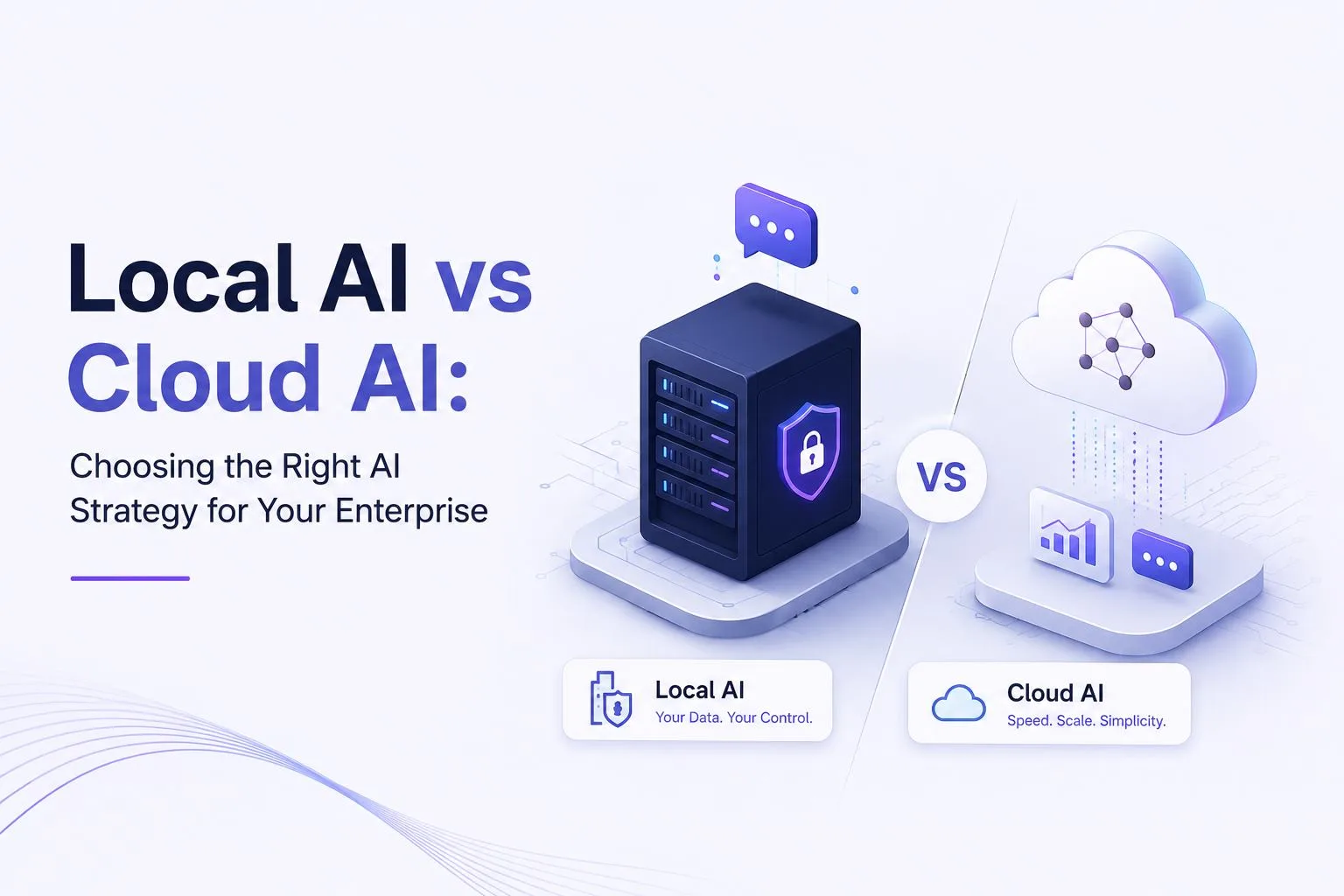
Local AI vs Cloud AI: Choosing the Right AI Strategy
Enterprise AI is no longer limited to experiments and small internal pilots.
It is now moving into customer support, legal review, finance operations, software development, enterprise search, manufacturing workflows, compliance processes, and internal knowledge management.
For many organizations, the first step into AI has been cloud based. Teams start with managed Large Language Models, AI APIs, or productivity tools that are easy to access and quick to test.
That is a useful starting point. Cloud AI lowers the barrier to entry. It helps teams build fast, test ideas, and understand what AI can do without buying infrastructure upfront.
But as adoption grows, the questions change. Leaders start asking whether AI can work safely with enterprise data, whether costs can be controlled at scale, whether compliance and data residency requirements can be met, and whether AI can connect deeply with ERP, CRM, document systems, knowledge bases, and internal applications.
This is where the conversation shifts from Cloud AI to Local AI.
The right answer is not always cloud or local. In most enterprises, the better answer is a thoughtful architecture that uses both where they make sense.
What Is Cloud AI?
Cloud AI refers to AI models and AI services hosted by a third party provider.
The enterprise sends a request to an external AI service through an API or cloud application. The model processes the request in the provider's infrastructure and sends the output back.
Cloud AI is commonly used for:
- Content creation
- General productivity
- Customer chatbots
- Code assistance
- Internal experiments
- Fast prototypes
- Marketing workflows
- Research and summarization
Cloud AI is popular because it is easy to start. There is no need to manage GPUs, model serving, scaling, security patches, or infrastructure optimization.
For early experimentation, this is a major advantage. But Cloud AI also means the enterprise depends on external infrastructure, external model policies, external pricing, and external data handling rules.
That may be acceptable for low risk workflows. It becomes more complicated when AI starts processing sensitive enterprise data.
What Is Local AI?
Local AI means running AI models inside an organization's own controlled environment.
That environment may be an on premises data center, private cloud, dedicated GPU server, controlled virtual private cloud, edge device, air gapped environment, or hybrid infrastructure setup.
With Cloud AI, enterprise data travels to the model.
With Local AI, the model runs closer to where enterprise data already lives.
This matters for organizations that handle sensitive information such as contracts, customer records, financial data, patient information, source code, product designs, legal documents, operational manuals, compliance evidence, and intellectual property.
Local AI gives enterprises more control over where data is processed, who can access it, how outputs are logged, how systems are governed, and how costs are managed over time.
Local AI vs Cloud AI: A Practical Enterprise Comparison
| Factor | Cloud AI | Local AI |
|---|---|---|
| Setup speed | Faster to start | Takes more planning |
| Infrastructure | Managed by the provider | Managed by the enterprise or partner |
| Data privacy | Depends on provider controls | Stronger enterprise control |
| Compliance | Depends on provider, region, and contract terms | Easier to align with internal policies |
| Cost model | Usually usage based | More predictable infrastructure based cost |
| Scalability | Easy to scale initially, but cost can rise with usage | Better for sustained high volume workloads |
| Customization | Limited by provider options | Greater control over models and workflows |
| Latency | Depends on network and provider response | Can be lower when deployed close to users and systems |
| Offline operation | Usually not available | Possible in controlled environments |
| Integration | Available through APIs | Deeper integration with internal systems is possible |
| Governance | Shared with provider | Designed around enterprise controls |
This does not mean Local AI is always better. It means Local AI becomes more attractive when AI moves from experiments into production workflows that involve private data, regulated processes, and repeated usage.
When Cloud AI Makes Sense
Cloud AI is the better choice when speed matters more than control.
It is useful when a team wants to test a new idea quickly, work with non sensitive information, or use the latest general purpose model without building infrastructure.
- Early proof of concepts
- General productivity
- Marketing content
- Brainstorming
- Internal writing support
- Public chatbots with non sensitive data
- General coding support
- Low risk experiments
The biggest advantage of Cloud AI is convenience. Teams can start quickly, access advanced models, and avoid managing deployment infrastructure.
The limitation appears when usage expands into sensitive data and core business workflows. Cloud AI may become harder to manage when there are concerns around data privacy, compliance, vendor dependency, usage based cost, model access, auditability, and long term control.
When Local AI Becomes the Better Choice
Local AI becomes more relevant when AI starts touching serious enterprise data.
That includes contracts, financial reports, customer records, healthcare data, legal documents, internal knowledge bases, manufacturing documents, product designs, source code, regulatory documents, employee records, and operational workflows.
At this stage, the enterprise is no longer only asking whether AI can produce a good response. It needs to know whether AI can operate safely inside the business.
- Stronger control over data
- Private AI deployment
- On prem AI or private cloud AI
- Lower long term cost for high volume workloads
- Better compliance alignment
- Data residency control
- Deeper ERP, CRM, DMS, and internal system integration
- Lower latency for internal applications
- Audit logs and governance
- Custom workflows and model routing
For regulated and data sensitive industries, Local AI is not just a technical option. It can become a governance requirement.
The Five Factors That Matter Most
1. Data Privacy
Data privacy is usually the first reason enterprises consider Local AI. Cloud AI can be safe when implemented carefully, but it still requires the organization to send data outside its direct environment.
For some workflows, that is acceptable. For others, such as legal contracts, customer records, financial documents, source code, or product designs, it may create too much risk.
Local AI helps reduce this exposure by keeping prompts, retrieval, model inference, and outputs inside approved infrastructure.
2. Compliance and Data Residency
Many enterprises operate under strict rules for how data must be stored, processed, accessed, and audited.
Cloud AI can still be used in regulated environments, but it often requires careful contracts, region selection, logging, data processing review, and security approval.
Local AI gives the enterprise more direct control by allowing AI workloads to run in infrastructure that already matches internal compliance requirements.
3. Cost and Token Usage
Cloud AI is attractive at the start because there is no upfront infrastructure investment. But as usage grows, the cost model changes.
Cloud AI costs often grow with the number of users, API calls, input tokens, output tokens, context size, model complexity, agent steps, retrieval volume, and repeated requests.
Local AI requires planning and infrastructure, but it can create more predictable economics for sustained workloads. For high volume use cases, enterprises should compare usage based cloud AI against local model serving, smaller models, caching, model routing, and Small Language Models.
4. Performance and Latency
Cloud AI depends on network connectivity and external infrastructure. That may be fine for many use cases, but latency matters for interactive enterprise systems.
A local deployment can improve response time when models run close to users, applications, and data sources. It can also support offline or limited connectivity environments such as factories, field operations, secure facilities, and air gapped systems.
5. Customization and Enterprise Integration
The real value of enterprise AI comes from connecting models to ERP, CRM, DMS, CMS, HRMS, ticketing systems, knowledge bases, internal APIs, data warehouses, document repositories, identity providers, and workflow platforms.
Cloud AI can integrate with these systems, but Local AI often gives enterprises more freedom to design the full architecture around internal governance, access controls, data pipelines, retrieval rules, approval workflows, audit logs, and model routing.
Is Local AI Replacing Cloud AI?
No. Local AI is not replacing Cloud AI.
In many enterprises, the future will be hybrid. Cloud AI will remain useful for general purpose tasks, fast experimentation, creative work, and workloads that do not involve sensitive data.
Local AI will be used for confidential, regulated, high volume, or mission critical workloads where privacy, compliance, cost control, and integration matter more.
- Cloud AI for general productivity and early experiments
- Local AI for sensitive enterprise workflows
- Small Language Models for repeated tasks
- Large Language Models for complex reasoning
- Private RAG for internal knowledge
- Human review for high risk decisions
- Governance and monitoring across the stack
The goal is not to choose one model or one deployment method for everything. The goal is to place each workload in the right environment.
Where Small Language Models Fit In
Small Language Models, or SLMs, are becoming important because not every enterprise task needs a large general purpose model.
Many workflows are narrow and repeated, including ticket classification, invoice extraction, policy Q&A, contract clause review, claims routing, standard document summarization, internal knowledge search, compliance gap detection, and operational record tagging.
These tasks often benefit from smaller, more focused models.
SLMs can be easier to deploy locally because they usually require fewer compute resources than large models. They can also be faster, more predictable, and more cost effective for high volume workflows.
A strong Local AI strategy does not always mean running the largest model on private infrastructure. It often means using the smallest capable model for the task.
Local LLMs, Private RAG, and Enterprise Knowledge
One of the strongest Local AI use cases is private RAG.
Retrieval Augmented Generation allows an AI system to answer questions using approved enterprise knowledge from policies, manuals, contracts, SOPs, tickets, case files, product documentation, customer records, internal reports, technical repositories, and compliance documents.
In a cloud only setup, retrieved context may need to be sent to an external model. In a Local AI setup, retrieval, embeddings, prompts, and generation can stay inside the organization's approved infrastructure.
This makes private RAG especially useful for regulated and data sensitive teams. It helps employees find information faster while reducing the risk of exposing sensitive content to external systems.
Common Use Cases
Cloud AI Use Cases
- Marketing content drafts
- Brainstorming
- Research summaries
- Public chatbot experiments
- General coding assistance
- Social media drafts
- Internal productivity support
- Non sensitive document summaries
- Early AI prototypes
Local AI Use Cases
- Enterprise search
- Private knowledge assistants
- Contract intelligence
- Financial analysis
- Claims document review
- Customer support knowledge systems
- Manufacturing documentation assistants
- HR and policy assistants
- Compliance workflows
- Internal software development copilots
- Legal and professional services workflows
- ERP and CRM connected AI assistants
Building a Production Ready Local AI Platform
Running a model locally is only one part of the work.
A production ready Local AI platform needs a complete operating layer around the model.
- Secure model serving
- Private RAG
- Identity and access management
- Role based permissions
- Prompt controls
- Model routing
- Monitoring
- Evaluation
- Audit logs
- Guardrails
- Human review workflows
- Performance optimization
- Business application integration
- Cost tracking
- Feedback loops
This is where many AI pilots fail. A model may work in a demo, but production requires reliability, governance, security, and integration.
Enterprise AI needs a platform mindset. The model is important, but the system around the model matters just as much.
How Sovereign SLM Labs Helps Enterprises Adopt Local AI
Sovereign SLM Labs helps enterprises move from AI experiments to secure, production ready AI deployments.
Our work focuses on private AI systems, Local LLMs, Small Language Models, enterprise RAG, AI governance, and integration with business applications.
We help teams decide which workloads should stay in the cloud, which should run locally, whether an SLM can handle a task instead of a larger LLM, how private RAG should be designed, and what controls are needed for security, compliance, auditability, and monitoring.
The goal is not to force every workload into Local AI. The goal is to design the right architecture for the business.
Which AI Strategy Should You Choose?
Choose Cloud AI if your priority is speed, experimentation, and access to general purpose models.
Cloud AI is a good fit when the data is not highly sensitive, the use case is early stage, the workload is low volume, the team wants fast prototyping, the organization does not want to manage infrastructure, and the output does not require deep internal system integration.
Choose Local AI if your priority is privacy, compliance, cost control, and enterprise integration.
Local AI is a good fit when the data is sensitive, the workload is high volume, the organization needs data residency, the AI system must connect to internal applications, the team needs predictable long term cost, the workflow requires audit logs and governance, or the AI system supports regulated operations.
Choose hybrid AI if you need both.
Cloud AI can support experimentation and general tasks. Local AI can support sensitive, regulated, and production workflows. SLMs can handle high volume repeated tasks. Larger LLMs can handle complex reasoning.
A good architecture uses each option where it fits best.
Final Thoughts
The Local AI vs Cloud AI decision is not a debate about which one is better in every situation.
It is a question of fit.
Cloud AI helps enterprises move quickly. Local AI helps enterprises gain control. Cloud AI is strong for experimentation. Local AI is strong for sensitive, regulated, integrated, and high volume workloads.
As AI becomes part of everyday enterprise operations, the winning organizations will not simply choose the biggest model or the fastest tool.
They will build smarter AI architectures. They will know which workloads should stay in the cloud, which should run locally, which should use SLMs, and which should involve human review.
That is the future of enterprise AI: the right architecture for the right workflow.
FAQ: Local AI vs Cloud AI
What is Local AI?
Local AI means running AI models inside an organization's controlled environment instead of relying entirely on public cloud AI platforms.
This may include on premises servers, private cloud, dedicated GPU infrastructure, edge devices, or air gapped environments.
What is Cloud AI?
Cloud AI refers to AI models and services hosted by third party providers.
Organizations usually access these models through APIs or cloud based applications.
What is the main difference between Local AI and Cloud AI?
The main difference is where the model runs and where the data is processed.
In Cloud AI, the model runs in the provider's infrastructure. In Local AI, the model runs inside the enterprise's controlled infrastructure.
Is Local AI more secure than Cloud AI?
Local AI can offer stronger control because sensitive data does not need to leave the enterprise environment.
Security still depends on design. A secure Local AI platform needs access controls, monitoring, audit logs, encryption, model controls, and human review workflows where needed.
When should an enterprise choose Local AI?
An enterprise should consider Local AI when workflows involve sensitive data, regulated processes, high volume usage, data residency requirements, deep enterprise integrations, or mission critical operations.
When should an enterprise choose Cloud AI?
Cloud AI is a good fit for early experiments, general productivity, non sensitive content creation, public chatbot tests, and short term projects.
It is also useful when teams need immediate access to advanced models without managing infrastructure.
What is a Local LLM?
A Local LLM is a Large Language Model that runs inside an organization's controlled environment rather than through a public API.
It can support internal copilots, enterprise search, document intelligence, contract review, customer support, and technical documentation.
What is a self hosted LLM?
A self hosted LLM is a language model deployed and operated by the enterprise or its technology partner.
It may run on dedicated servers, private cloud, on premises infrastructure, or a controlled virtual private cloud.
How do Small Language Models fit into Local AI?
Small Language Models are often a strong fit for Local AI because they require fewer compute resources than larger models.
They work well for repeated business tasks such as classification, extraction, policy Q&A, ticket routing, document summarization, and knowledge retrieval.
Is Local AI cheaper than Cloud AI?
It depends on usage.
Cloud AI can be cheaper for small experiments. Local AI can become more cost effective for sustained, high volume workloads where infrastructure and model routing are well managed.
What is hybrid AI?
Hybrid AI combines Cloud AI and Local AI.
An enterprise may use Cloud AI for general productivity and experimentation while using Local AI for confidential data, regulated workflows, private RAG, and high volume internal applications.
What is private RAG?
Private RAG connects AI models to internal enterprise knowledge while keeping retrieval, embeddings, prompts, and outputs inside controlled infrastructure.
It helps employees ask questions across documents, policies, contracts, manuals, tickets, and knowledge bases without exposing sensitive information to public tools.
Can Local AI connect with ERP and CRM systems?
Yes. Local AI can connect with ERP, CRM, HRMS, ticketing systems, document repositories, internal APIs, data warehouses, and workflow platforms.
These integrations are often where Local AI creates the most business value.
Is Local AI suitable for regulated industries?
Yes. Local AI is especially relevant for regulated industries because it gives organizations more control over data privacy, access, auditability, and compliance.
It is commonly relevant for financial services, insurance, healthcare, legal services, government, manufacturing, telecom, and pharma.
Does Local AI require a large infrastructure investment?
Not always. Infrastructure depends on the use case, model size, user volume, latency requirements, and deployment model.
Some workloads may require dedicated GPU infrastructure. Others can run on smaller models, optimized serving frameworks, or private cloud deployments.
Is Local AI the same as on prem AI?
Not exactly. On prem AI is one form of Local AI.
Local AI can also run in private cloud, dedicated cloud environments, edge devices, or controlled hybrid environments.
What are the risks of Local AI?
Local AI gives more control, but it also creates responsibility.
Enterprises need to manage infrastructure, model updates, monitoring, security, scaling, evaluation, and governance.
How should enterprises decide between Local AI and Cloud AI?
Start with the workload.
Ask whether the data is sensitive, whether the workflow is regulated, how much usage is expected, whether data residency matters, whether AI must connect with internal systems, what auditability is required, and whether an SLM can handle the task.
References
- [1] NIST, AI Risk Management Framework
- [2] Amazon Web Services, Shared responsibility model
- [3] Ollama, Quickstart documentation
- [4] vLLM, vLLM documentation